
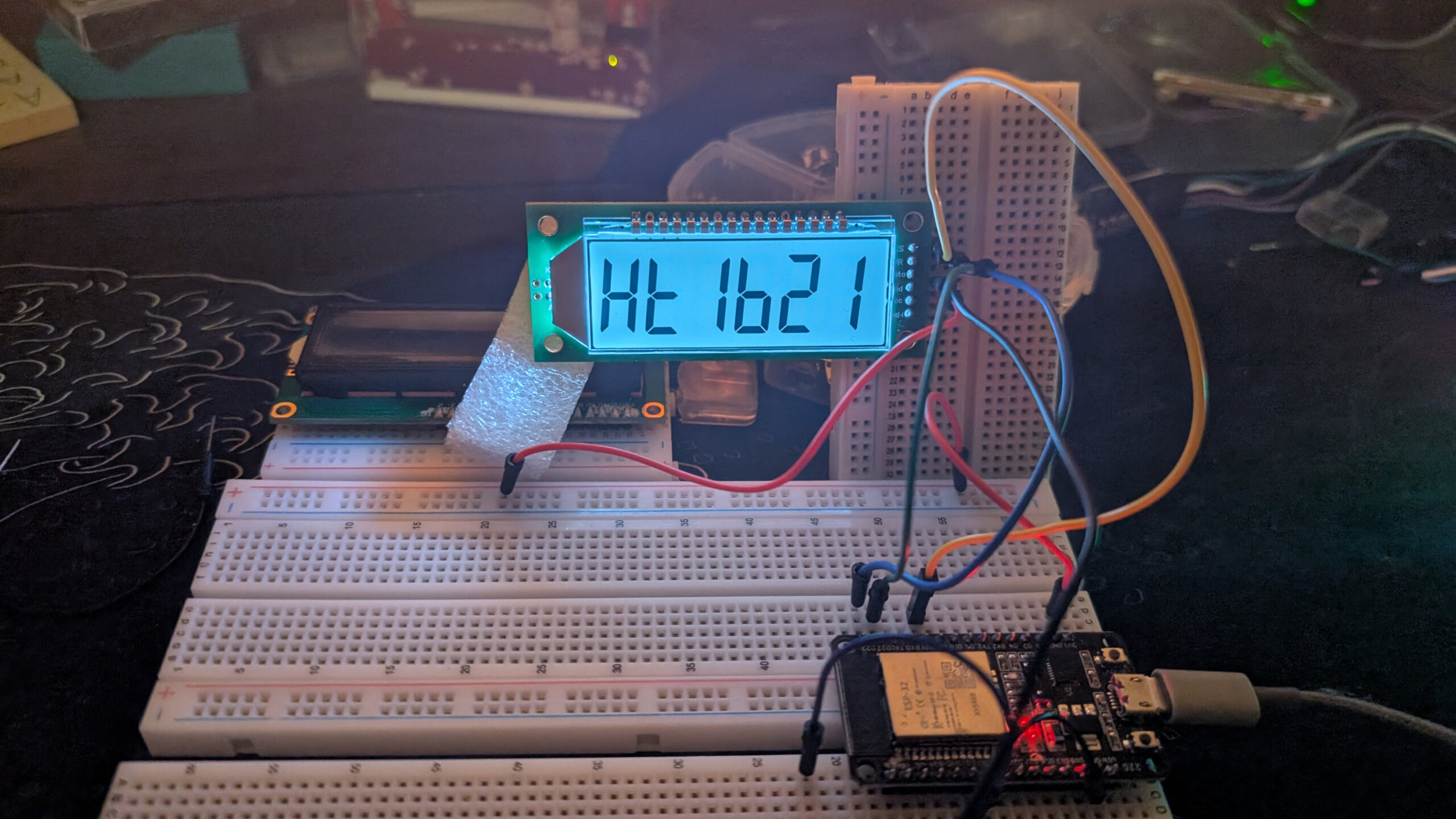
We’ve gone through some work getting our HT1621 up and running (me more than you =P) but in the end, we have deciphered its secrets and we are ready to put it to some use. Let’s start by getting some numbers on the display.
After mapping how each memory address corresponds with the segments on the LCD, we have this table with the left-most column showing the memory addresses of the nibbles. Notice that this implementation of the 1621 only uses 12 of the 32 potential addresses.
| D3 | D2 | D1 | D0 | |
| 000000 | 1A | 1B | 1C | 1DP |
| 000001 | 1F | 1G | 1E | 1D |
| 000010 | 2A | 2B | 2C | 2DP |
| 000011 | 2F | 2G | 2E | 2D |
| 000100 | 3A | 3B | 3C | 3DP |
| 000101 | 3F | 3G | 3E | 3D |
| 000110 | 4A | 4B | 4C | Batt + Low |
| 000111 | 4F | 4G | 4E | 4D |
| 001000 | 5A | 5B | 5C | Mid |
| 001001 | 5F | 5G | 5E | 5D |
| 001010 | 6A | 6B | 6C | High |
| 001011 | 6F | 6G | 6E | 6D |
Okay, so this is not what we’re used to since our segments don’t proceed alphabetically, but it’s not as bad as it appears at first glance. Recall the timing diagram for successive write mode.

Even though the 1621 memory addresses are broken up into nibbles, we can still send over our segment information as bytes, just keeping in mind that we need to send the segment info for our right-most digit first. So, let’s rebuild our nums[] array again, this time with our modified segment positions. So instead of this:
| D7 | D6 | D5 | D4 | D3 | D2 | D1 | D0 |
| DP | G | F | E | D | C | B | A |
We have this:
| D3 | D2 | D1 | D0 | D3 | D2 | D1 | D0 |
| F | G | E | D | A | B | C | DP |
Now when we make our new number bytes, they should look like this:
int nums[10] = {
  0b10111110,  // 0
  0b00000110,  // 1
  0b01111100,  // 2
  0b01011110,  // 3
  0b11000110,  // 4
  0b11011010,  // 5
  0b11110010,  // 6
  0b00001110,  // 7
  0b11111110,  // 8
  0b11001110,  // 9
};Given how many times we’ve made a display that increments a number, doing it again should be pretty easy. In addition to our nums[] array we’re going to need most of the global variables we used when we were probing the 1621.
int DATA = 23;
int WR = 22;
int CS = 21;

int command = 0b100;
int cmdWrite = 0b101;

int bias13duty14 = 0b001010010;
int sysEn = 0b000000010;
int displayOn = 0b000000110;We’ll also need the usual variables we’ve been using for these number incrementers.
int numberDigits[6] = {0, 0, 0, 0, 0, 0};

int number = 0;
int timer = 0;We want to keep dip(), send(), and dataClear(), but we can toss waitForButton() (although it will probably come in handy for another project at some point).
Our setup() function will remain largely the same as well. Of course, we’re going to get rid of the for loop we iterated through with button presses, but we still need to set up our pins.
pinMode(DATA, OUTPUT);
pinMode(WR, OUTPUT);
pinMode(CS, OUTPUT);
digitalWrite(DATA, HIGH);
digitalWrite(WR, HIGH);
digitalWrite(CS, HIGH);We also need to run the commands to clear the memory data, set the bias and duty cycle, turn on the system oscillator, and turn on the display.
dataClear();

digitalWrite(CS, LOW);
send(command, 3, 1);
send(bias13duty14, 9, 1);
digitalWrite(CS, HIGH);

digitalWrite(CS, LOW);
send(command, 3, 1);
send(sysEn, 9, 1);
digitalWrite(CS, HIGH);

digitalWrite(CS, LOW);
send(command, 3, 1);
send(displayOn, 9, 1);
digitalWrite(CS, HIGH);Now we can jump down to our loop() function where we’ll count through the numbers. Drop in the same if statement we’ve used in the past that checks a timer value against the system millis().
if (millis() - timer > 500) {
	timer += 500;

	...
}Next we have to split our number up into its constituent digits.
numberDigits[0] = number % 10;
numberDigits[1] = (number / 10) % 10;
numberDigits[2] = (number / 100) % 10;
numberDigits[3] = (number / 1000) % 10;
numberDigits[4] = (number / 10000) % 10;
numberDigits[5] = (number / 100000) % 10;We’re almost done. We have to enable the HT1621, put it into write mode, tell it where to begin writing, send over the data to be written, then disable the chip.
digitalWrite(CS, LOW);
send(cmdWrite, 3, 1);   						//Write command
send(0, 6, 1);          						//Address to write to
send(nums[numberDigits[0]], 8, 0);	//1s digit
send(nums[numberDigits[1]], 8, 0);	//10s digit
send(nums[numberDigits[2]], 8, 0);	//100s digit
send(nums[numberDigits[3]], 8, 0);	//1,000s digit
send(nums[numberDigits[4]], 8, 0);	//10,000s digit
send(nums[numberDigits[5]], 8, 0);	//100,000s digit
digitalWrite(CS, HIGH);Finally, we increment our number (I always forget this part ><).
number++;Read next …
Read previous …

Buy somethin’ will ya?
If you like what I do, send me $1 to help pay for the infrastructure!

ELEGOO ESP-32 Super Starter Kit
Leave a Reply