

Up to now we’ve been dealing with a 1-digit display. There’s certainly a time and a place for that, but for most applications, we’re going to need more digits. Enter the 5461AS 12-pin, 8-segment, 4-digit LED display.
If you’re the number-crunching sort, you’ve probably already noticed that this display has 32 segments and only 12 pins with which to illuminate them. To understand how this works, let’s take a look at the data sheet.

We can see on the bottom that each segment A–G + DP has its own pin, just like on the 5161AS, only with this display, each digit has a separate common ground, pins 12, 9, 8, and 6. So, any digit whose display pin is grounded will have the same segments illuminated.
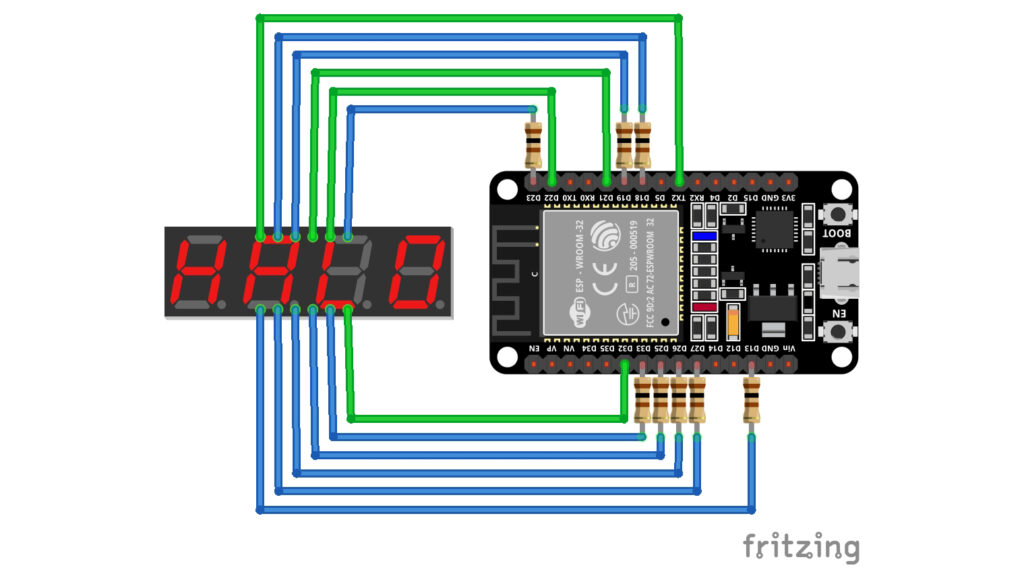
Thus, the glaring deficiency of the 5461AS is the fact that it can only display one block of segments (one digit) at a time. Why not give it more pins? You can, but thanks to a little trick called multiplexing, it just makes more sense to limit your pin count as much as possible.
Multiplexing is a method of sending multiple signals over a single data line. So, while we can’t simultaneously display different digits at the same time, we can use a technique called time-division multiplexing to exploit a quirk of human perception to make it appear that multiple digits are being displayed at the same time.
There’s an optical illusion called persistence of vision where our perception of something lingers for a moment after its photons no longer reach our eyes. This is the optical illusion responsible for light trails and the rubber pencil trick you may have played with in school. We can exploit this illusion to make it appear that the 5461AS is displaying multiple digits.
The technique is simple: We show each digit for 1 millisecond at a time and repeat. As long as the frequency of how long each digit is displayed is within the so-called “flicker fusion threshold,” our brains won’t perceive the 3 ms the LEDs are off, just the 1 ms of illumination.
The code
To start, since we’ve moved some components around and changed a few pins, we need to tweak our code. The array with our anode pins (the ones driving the segments) has some different values, but it should be familiar; and we’ve also added a separate array for our cathode pins. You can order these four pins however you like, but I put the right-most digit first so the lowest index would represent the digit with the lowest place value.
int segment[] = {18, 23, 25, 27, 13, 19, 33, 26};
int digit[] = {32, 22, 21, 17};Our matrix with the data to light up our LEDs stays the same.
int nums[10][7] = {
{1, 1, 1, 1, 1, 1, 0}, // 0
{0, 1, 1, 0, 0, 0, 0}, // 1
{1, 1, 0, 1, 1, 0, 1}, // 2
{1, 1, 1, 1, 0, 0, 1}, // 3
{0, 1, 1, 0, 0, 1, 1}, // 4
{1, 0, 1, 1, 0, 1, 1}, // 5
{0, 0, 1, 1, 1, 1, 1}, // 6
{1, 1, 1, 0, 0, 0, 0}, // 7
{1, 1, 1, 1, 1, 1, 1}, // 8
{1, 1, 1, 0, 0, 1, 1} // 9
};From here I had to get creative. I know that there are extant libraries out there to handle this kind of thing, but if I’m going to drive a custom-made bespoke LCD, I need to understand how to implement the principles myself.
We don’t need to change the display() function we made for the 5161AS, but we need a few things to make this work:
- We need a way to separate a 4-digit number into its place-value parts.
- We need variables for those digits.
- We need a way to loop through those numbers, displaying them one at a time.
Getting the digits
Extracting the digits from our number is pretty easy with creative application of the modulo operation. To get the 1s digit of any number we can just find the remainder of that number when it’s divided by 10.
In C++ it would look like this:
ones = 1234 % 10;Getting the other digits is a bit more involved, but just barely. The words to describe the process are clunky, but the numbers behind it are pretty straight forward. Here’s what it looks like in practice.
ones = 1234 % 10;
tens = (1234 % 100 - 1234 % 10) / 10;
hundreds = (1234 % 1000 - 1234 % 100) / 100;
thousands = (1234 % 10000 - 1234 % 1000) / 1000;Variables and loops
Since we have to loop over our 1s, 10s, 100s, and 1,000s digits to display them, I figured I should put them in an array.
int numberDigits[4] = {
number % 10, //ones
(number % 100 - number % 10) / 10, //tens
(number % 1000 - number % 100) / 100, //hundreds
(number % 10000 - number % 1000) / 1000 //thousands
};Now we can use a for loop to iterate over each digit, displaying them for 1 ms each.
for (int i = 0; i < 4; i++) {
digitalWrite(digit[i], LOW); //Set the cathode pin to ground
display(numberDigits[i]); //Display the digit
delay(1); //Show it for 1 ms
digitalWrite(digit[i], HIGH); //Pull the cathode pin to HIGH
}With that, we should be able to put together a small program that counts up and displays the output in the 5461AS. Just one reminder: When initializing your pins, make sure to set your common-cathode pins to HIGH (I went ahead and set my anode pins to LOW as well).
int segment[] = {18, 23, 25, 27, 13, 19, 33, 26};
int digit[] = {32, 22, 21, 17};
int nums[10][7] = {
  {1, 1, 1, 1, 1, 1, 0},  // 0
  {0, 1, 1, 0, 0, 0, 0},  // 1
  {1, 1, 0, 1, 1, 0, 1},  // 2
  {1, 1, 1, 1, 0, 0, 1},  // 3
  {0, 1, 1, 0, 0, 1, 1},  // 4
  {1, 0, 1, 1, 0, 1, 1},  // 5
  {0, 0, 1, 1, 1, 1, 1},  // 6
  {1, 1, 1, 0, 0, 0, 0},  // 7
  {1, 1, 1, 1, 1, 1, 1},  // 8
  {1, 1, 1, 0, 0, 1, 1}   // 9
};
int number = 0;
int timer = millis();
void display(int num) {
for (int i = 0; i < 7; i++) {
digitalWrite(segment[i], nums[num][i]);
}
}
void setup() {
for (int i = 0; i < 8; i++) {
pinMode(segment[i], OUTPUT);
digitalWrite(segment[i], LOW); //anode pins set LOW
if (i < 4) {
pinMode(digit[i], OUTPUT);
digitalWrite(digit[i], HIGH); //cathode pins set HIGH
}
}
}
void loop() {
int numberDigits[4] = {
  number % 10,                              //ones
  (number % 100 - number % 10) / 10,        //tens
  (number % 1000 - number % 100) / 100,     //hundreds
  (number % 10000 - number % 1000) / 1000   //thousands
};
for (int i = 0; i < 4; i++) {
digitalWrite(digit[i], LOW); //Set the cathode pin to ground/LOW
display(numberDigits[i]); //Display the digit
delay(1); //Show it for 1 ms
digitalWrite(digit[i], HIGH); //Pull the cathode pin to HIGH
}
if (millis() - timer > 250) { //increment the number ever 250 ms
number++;
timer = millis();
}
}Honestly, you can’t even see a flicker.
Read next …
Read previous …
Buy somethin’ will ya!
If you like what I do, send me $1 to help pay for the infrastructure!
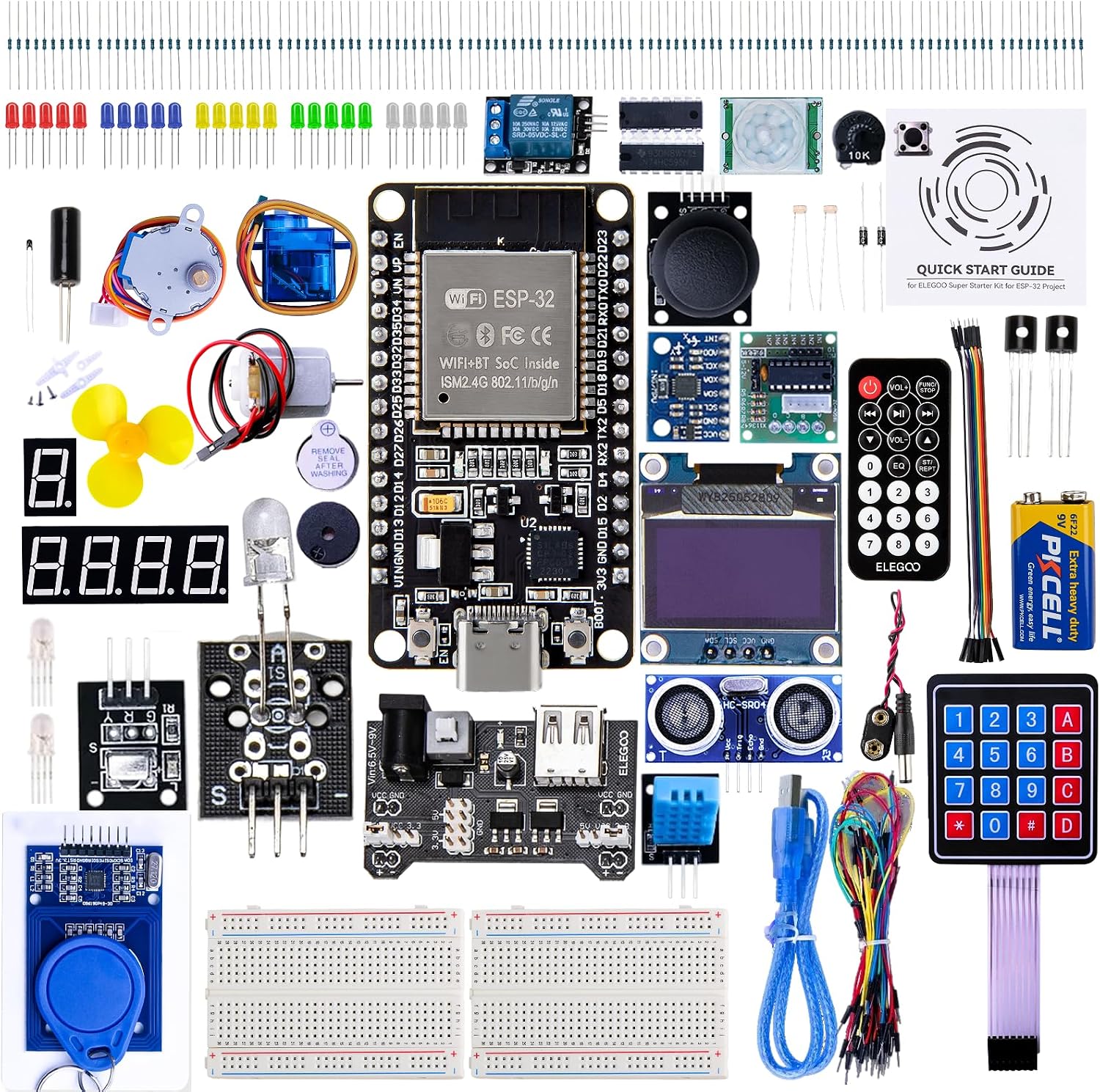
ELEGOO ESP-32 Super Starter Kit

5 piece 5461AS display
Leave a Reply